Answer the court on time.Drafted from your own evidence.
Been served papers with a deadline? Upload the messages, letters and orders. EvidenceCanvas drafts your statement in response, position statement and chronology in court format, from your own documents. Then it checks its own draft and fixes what it finds.
For family proceedings in England and Wales: C100 · FHDRA · Form E · FL401 · PD27A bundles Start on the free plan. You confirm your email with a one-time code first. Not legal advice.
Live time · synthetic case registers
What help costs
Three ways to get your statement written
Solicitor
About £200 to over £500 an hour. The court's guideline hourly rates for solicitors run from £200 an hour outside London to £579 an hour for senior solicitors in central London (Guideline Hourly Rates 2026). A statement and a hearing bundle take several hours of their time, before the hearing itself.
McKenzie friend
Usually charge by the hour or by the hearing. Rates vary from one McKenzie friend to another, so ask for a written quote. Help in court, but the paperwork is still yours to write. The founder of EvidenceCanvas offers this at £95 an hour: see below.
EvidenceCanvas
From £89 a month, or £44.50 at the founding price. The founding price is 50% off the first 12 monthly payments for the first 20 paid subscriptions, and the offer closes at 23:59 (UK time) on Friday 6 November 2026; there is also a free plan. Drafts, chronology and bundle from your own documents, checked before you see them.
Solicitor figures are the guideline hourly rates in force from 1 January 2026 (grade C solicitor, National 2, to grade A, London 1), published by the Courts and Tribunals Judiciary; they guide costs assessed by the court, and firms set their own prices.
What EvidenceCanvas is, and isn't
It is
A preparation tool that drafts court documents from your own papers.
Honest about gaps: what only you can say is marked for you to fill in.
Private: documents stay on UK servers and names are masked before any AI sees them.
It isn't
A law firm, and it doesn't give legal advice.
A filing service: you check, sign, file and serve everything yourself.
A promise about the outcome of your case.
A McKenzie friend beside you in court.
I built EvidenceCanvas after a long run as a litigant in person in the family court. I also help parents myself, as a McKenzie friend. You still speak for yourself in court. You don't have to do it alone.
Sit beside you at the hearing, take notes and keep you steady.
Help you put your bundle, chronology and statements in order before it.
Quietly suggest points to raise and questions to ask, for you to put to the court.
Go through the order with you afterwards, so you know what happens next.
Up to 80% less per hour than a senior London solicitor.1
Senior solicitor, central London
£579an hour
Senior solicitor, outside London
£295an hour
Solicitor, outside London
£200an hour
Me, as your McKenzie friend
£95an hour, no VAT added
Know this before you ask
I am not a solicitor or a barrister, and I am not regulated by the Solicitors Regulation Authority or the Bar Standards Board.
I cannot run the case for you: you sign, file and serve your own documents.
I cannot speak for you in court unless the judge allows it, and the court can refuse to let a McKenzie friend help you at all.
My help is that of an experienced lay person, not legal advice from a lawyer, and nobody can promise you an outcome.
This is a separate personal service from me. It is not part of an EvidenceCanvas plan and is quoted and paid for separately.
1 Solicitor rates are the Guideline Hourly Rates 2026 published by the Courts and Tribunals Judiciary, in force from 1 January 2026. Against £579 an hour (grade A, solicitor with over 8 years' experience, London 1), £95 an hour is 84% less. Against £295 (grade A, National 1) it is 68% less, and against £200 (grade C, National 2) it is 52% less. Guideline rates guide the costs a court assesses; firms set their own prices, and the total depends on the hours your case needs.
The chronology runs itself.
Every upload is dated, read and pinned to an exhibit number. Scroll to run a synthetic matter through the reader.
EVENT 01 / 0803 FEB 2025
Separation. The children stay in the family home.
[EV 01]
Synthetic example. No real person or case.
Six documents. One matter.
Everything a family court expects from you, built from the same evidence so the numbers, dates and exhibit references agree.
Chronology
Every dated event from your uploads in strict order, each line tied to the exhibit that proves it.
Neutral wording · exhibit-referenced
Exhibit bundle
Indexed, paginated and sectioned the way the practice direction sets out, ready to send.
PD27A sections · page-numbered
Witness statement
Your account in your own first-person voice, one issue per numbered paragraph, with the statement of truth.
≤ 25 pages · 1.5 spacing
Position statement
What you ask the court for and why, framed around the welfare checklist, short enough to be read.
≤ 1,200 words · welfare checklist
Response to their statement
Paragraph by paragraph: what you accept, what you dispute and the evidence for each answer.
Point-by-point · sourced
Form E reconciliation
Twelve months of statements parsed and reconciled, spending mapped to the Form E lines. Arithmetic by code.
FPR Part 9 · deterministic sums
It checks its own work.
Every draft is attacked the way the other side's barrister would attack it. Whatever the AI can fix, it fixes. Anything it cannot fix stays marked in the text, with the reason, so nothing is buried.
Draft
Written from your evidence
First person, numbered paragraphs, every fact linked to an exhibit.
Red team
Attacked once
Overclaims, absolutes, gaps between what you say and what the exhibits show.
Fix
Repaired automatically
Rewritten to what the evidence supports. What cannot be fixed is marked.
Release
Yours, with a status
A plain summary of what changed and what still needs you. Ask for another round any time.
Witness statement · para 7Synthetic
7.My son has stayed with me every weekend since we separated.Since June 2025, on the dates recorded in my diary [EV 09], my son has stayed with me on alternate weekends.
8.He started at his current school in September ⟦TO RESOLVE: the year is not in any document you uploaded⟧.
STATUS OF THIS DRAFT
Reviewed and revised automatically: 1 round
Fixed: overclaim in para 7 bounded to the diary
Still to resolve: 1 item, marked in the text
Released, not held back.
Review by a solicitor or McKenzie friend is optional.
You stay in control. Ask for another red-team pass whenever you like, and check every draft before you file it.
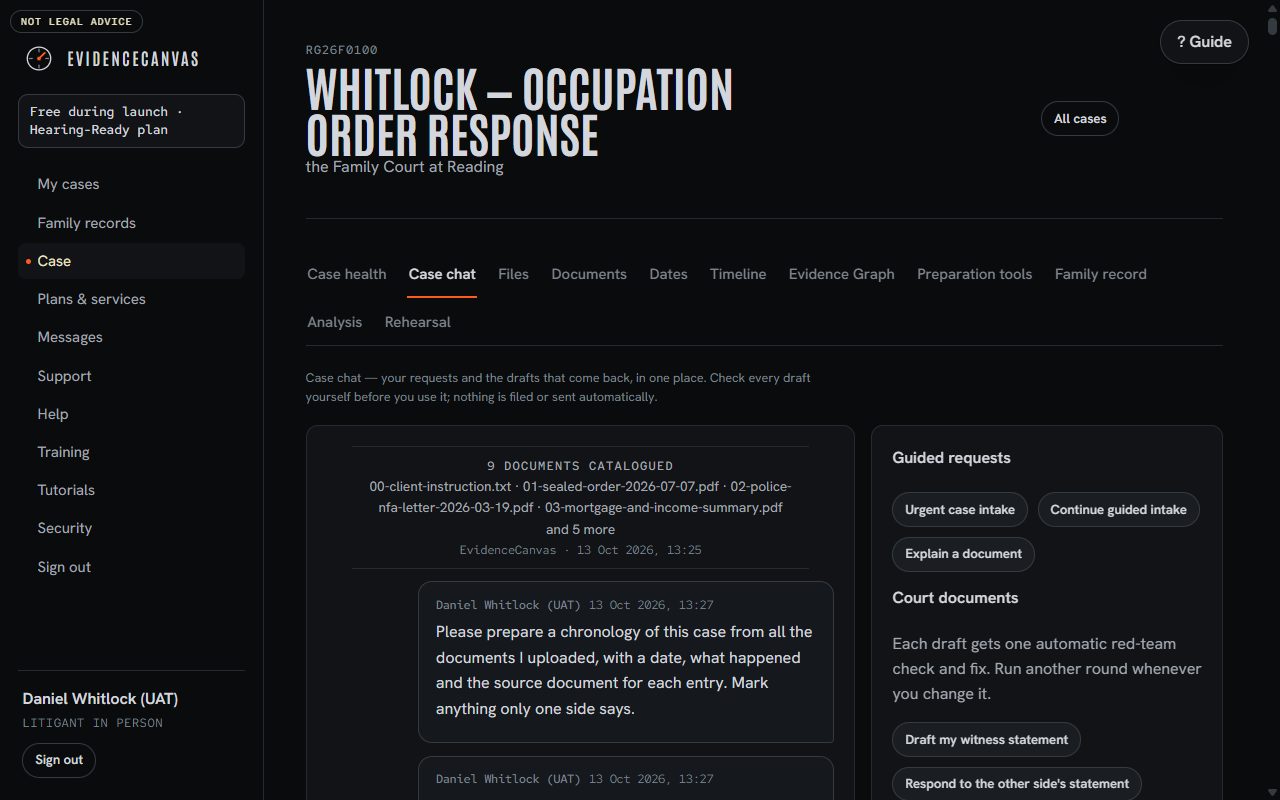
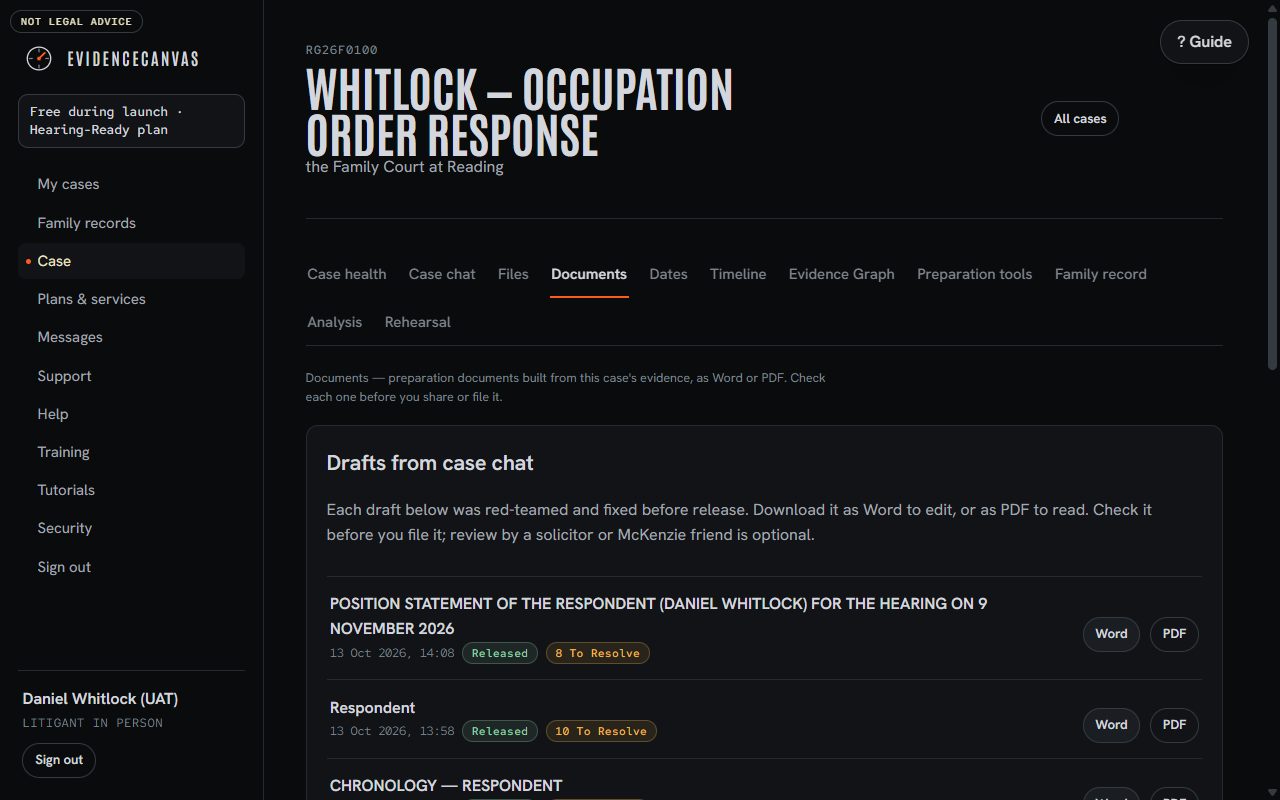
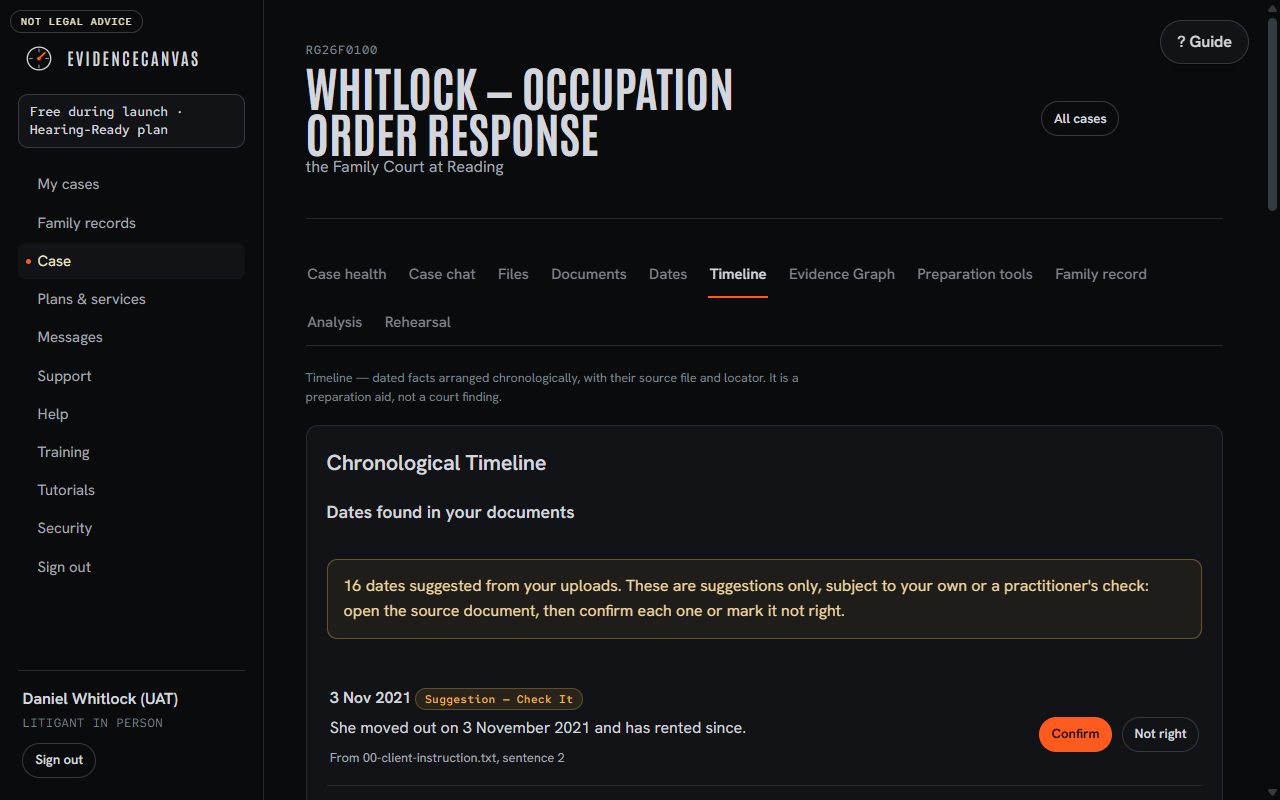
The workspace, live.
Captured on the production service during today's test run, with an invented case. Every step and every result is published.
Drafts in case chat. Released with a status note: what was checked, fixed and still to resolve.Word and PDF. Every draft ready to take away and check.Dates found. Suggested from your documents, confirmed by you.
No "always" or "never" unless the evidence shows it. Judges notice, and so does the other side.
Every fact, an exhibit.
A sentence without a source is flagged before it reaches the page.
The child first.
Framed around the welfare checklist, never used as a weapon against the other parent.
Your voice.
First person and plain English. It should read like you on your clearest day.
Aimed at the limit.
Drafts are written to the page and word limits. Check the page count before you file.
Sums by code.
Dates and sums are calculated in code, and you confirm each one.
Names stay with you.
Before any text leaves your workspace, names, phone numbers and addresses are replaced with labels. The draft comes back with the labels swapped back. Each matter is sealed from every other.
McKenzie friends and solicitors run separate, sealed workspaces for each person they support: structured intake, drafts in minutes and a record of every instruction and change.